
RecordMy allows you to resend a transfer with different information. This can only be done by the source organisation.

The process to send information can be done in the outbound transfer section by clicking the ‘Completed’ filter at the top:
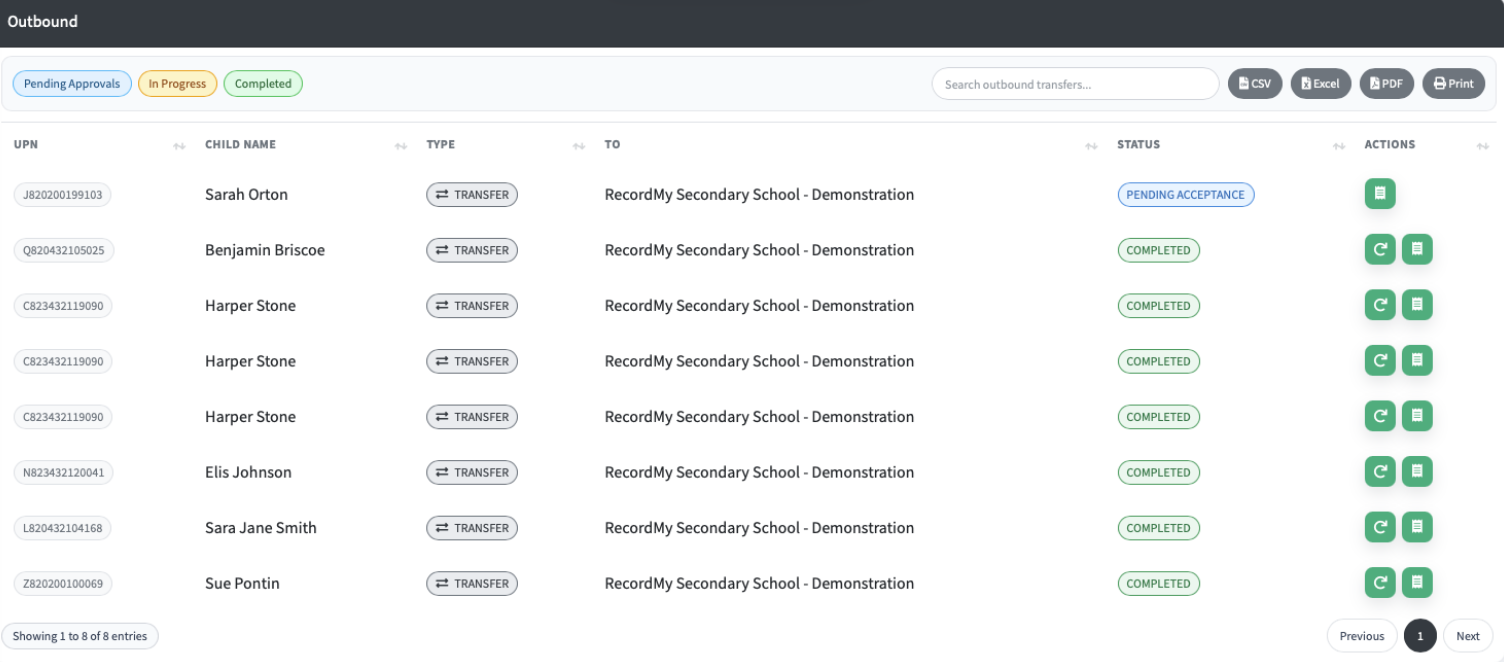
Click the circular arrow icon to resend. The process is the same as the outbound transfer process.
Once this has been sent, you will get a new inbound transfer to accept. Any previous information already processed will not be duplicated. Only new information will be added to your RecordMy.
Click the circular arrow icon to resend. The process is the same as the outbound transfer process.
Once this has been sent, you will get a new inbound transfer to accept. Any previous information already processed will not be duplicated. Only new information will be added to your RecordMy.