You can choose the colours that are displayed for attendance values. In the top-right menu, choose ‘Customisation’.
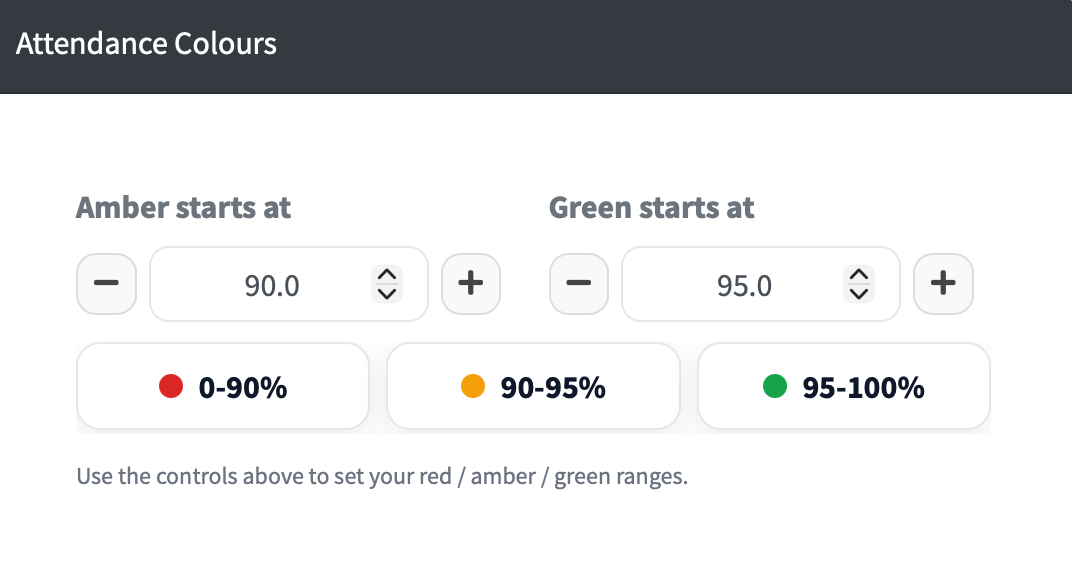
Under 'Attendance Colours' you can adjust the starting point for amber and green. The boxes below will change as you make changes.
 Help Centre
Go to RecordMy
Help Centre
Go to RecordMy
Administration
The ability to change your attendance colour
You can choose the colours that are displayed for attendance values. In the top-right menu, choose ‘Customisation’.
Under 'Attendance Colours' you can adjust the starting point for amber and green. The boxes below will change as you make changes.