
You can modify which user groups have what permissions on RecordMy.
This is done by going to the ‘Permissions’ section in the top-right menu.
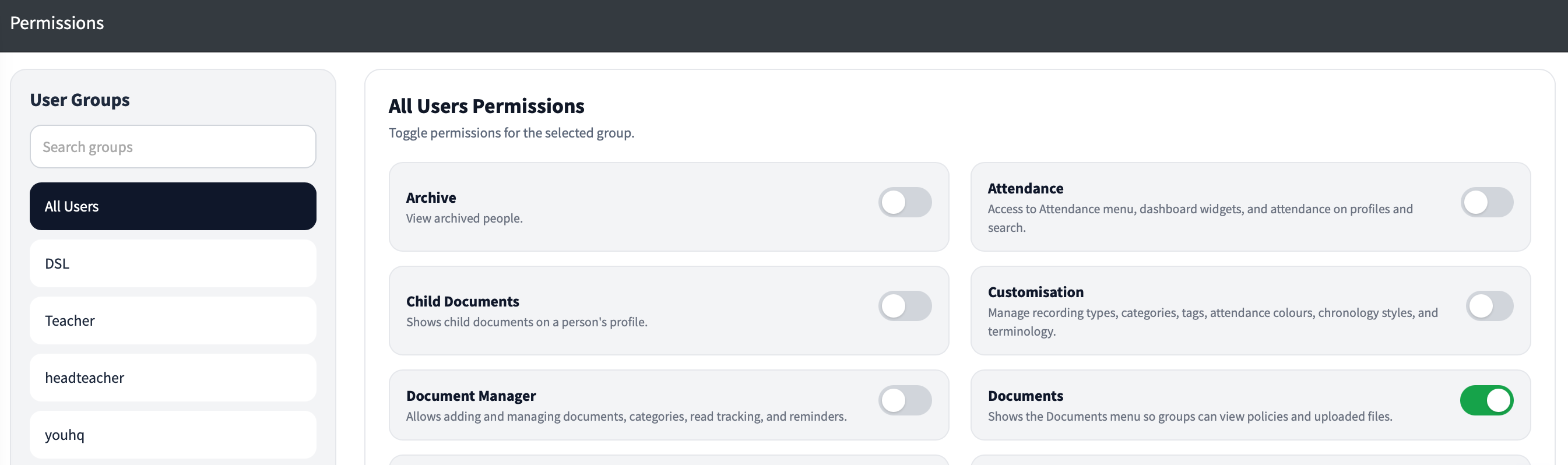

Permission | Description |
|---|---|
Documents | This gives the user group a ‘Documents’ menu item on the left hand menu, it means they can view documents like policies etc. |
Document Mgr | This gives the user group the ability to add to the ‘Documents’ section including adding new categories of documents. They can also require that all users read specific documents and see who has read or not read them. They can also send reminders. |
SEND Documents | This allows groups to view the SEND Documents section when viewing a persons profile. |
Recent | This gives a user group access to the ‘Recent Activity’ section on the left hand menu. |
Attendance | This gives user groups access to the Attendance menu item, and the sections on the dashboard. It also displays attendance information on the search results and the persons profile. |
Show Tags | This will allow user groups to see the tags in the search results and the persons profile. |
Groups | This will allow the group to see the Person Groups section on the left hand menu. |
Reporting | Gives user groups access to the reporting and analytics suite. |
Removals | Gives the group access to removals to approve and deny removals of chronology items where they hold the correct permission on the recording type. |
Establishment | Gives the group access to the establishment menu in the top-right hand corner. This is for system settings, timezone and sync status. |
Transfer / Share | This allows user groups to see information shared with external people or other organisations. |
Referrals | This will allow groups access to see referrals for recording types they have access to. |
Archive | This will give the group permission to view archived people. |
Customisation | This will allow the users in this group to customise RecordMy and the recording types, category sets, person tags, attendance colours and chronology styles and terminology. |
Extended Dashboard | Allows a deeper dashboard view with graphs and vulnerable people. |
Student Search | Allows the group to search for students. This is required for most users to record entries however if you have users who you only want to see things like documents or access training you can disable this permission. |
eLearning Manager | Allows you to see who has completed online eLearning built in to RecordMy. |